How to connect video feedback to OBS Studio
August 14, 2024
Add your tip menu to the stream and personalize your livestream space
1.Install OBS Studio and OBS Studio toolset on your computer. If not installed, please click to download OBS and download Lovense OBS toolset
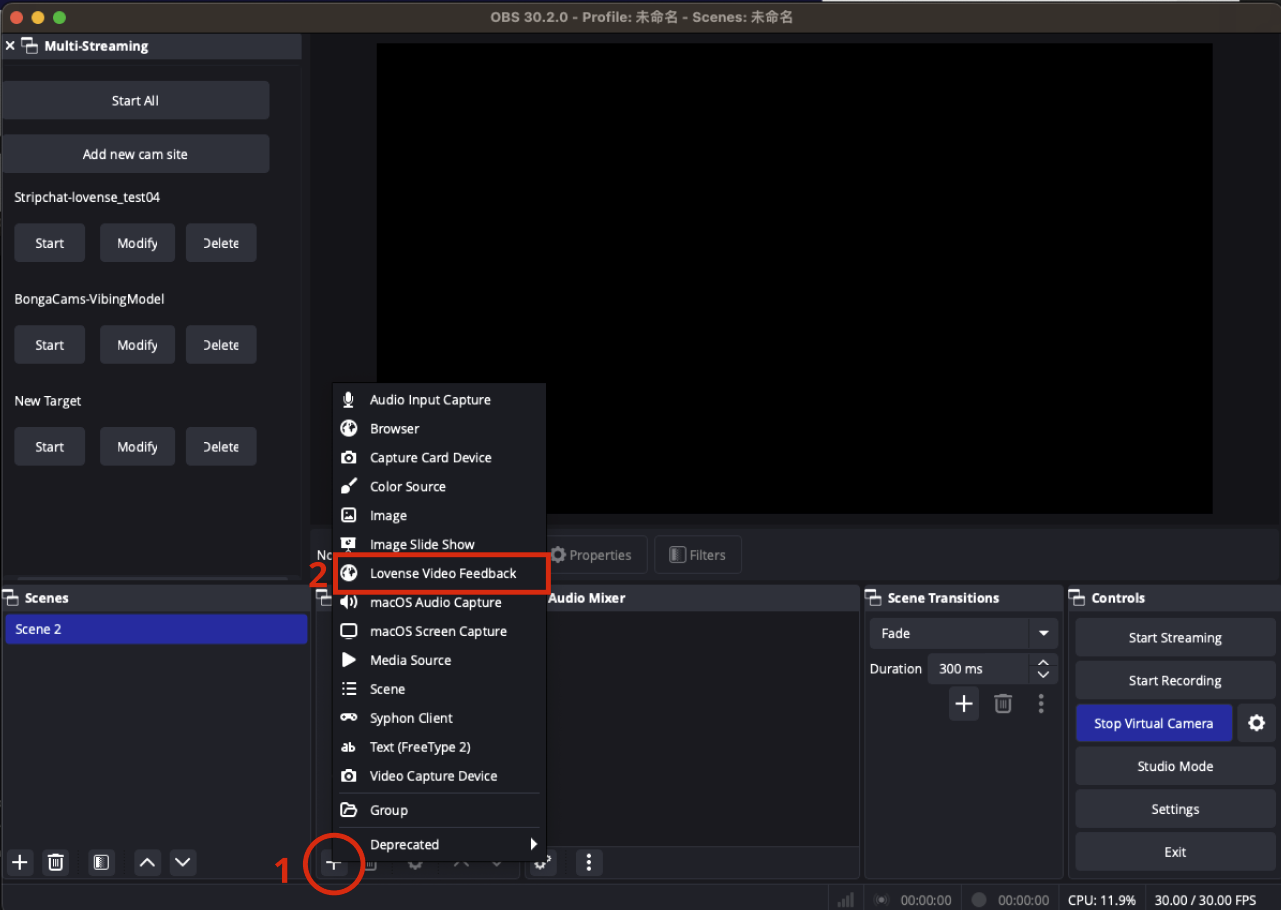
2. Open OBS and check if Lovense Video Feedback has been added to Sources. If not, click the "+" button to add Lovense Video Feedback
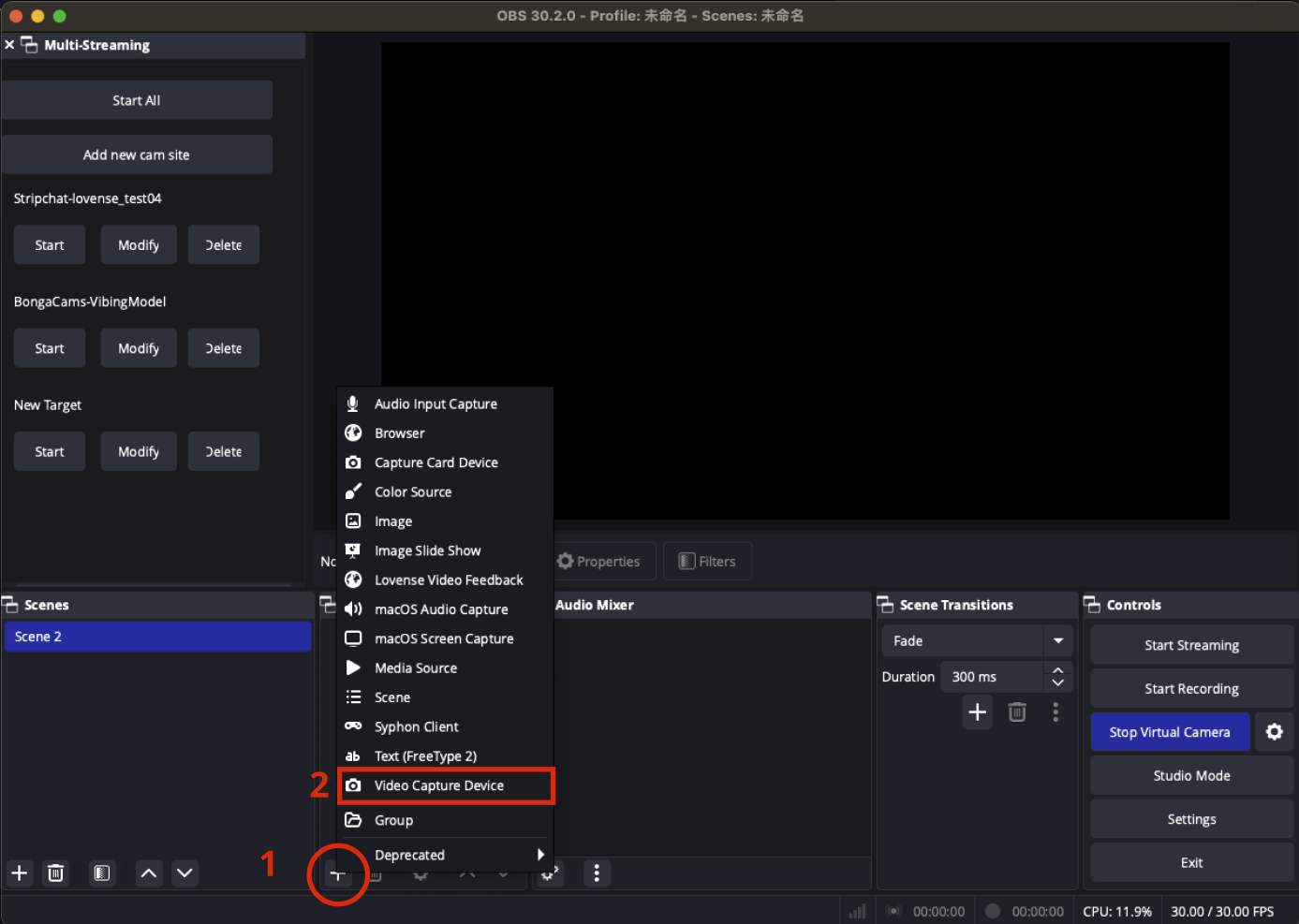
3. Add a camera by clicking the "+" button, then add a Video Capture Device
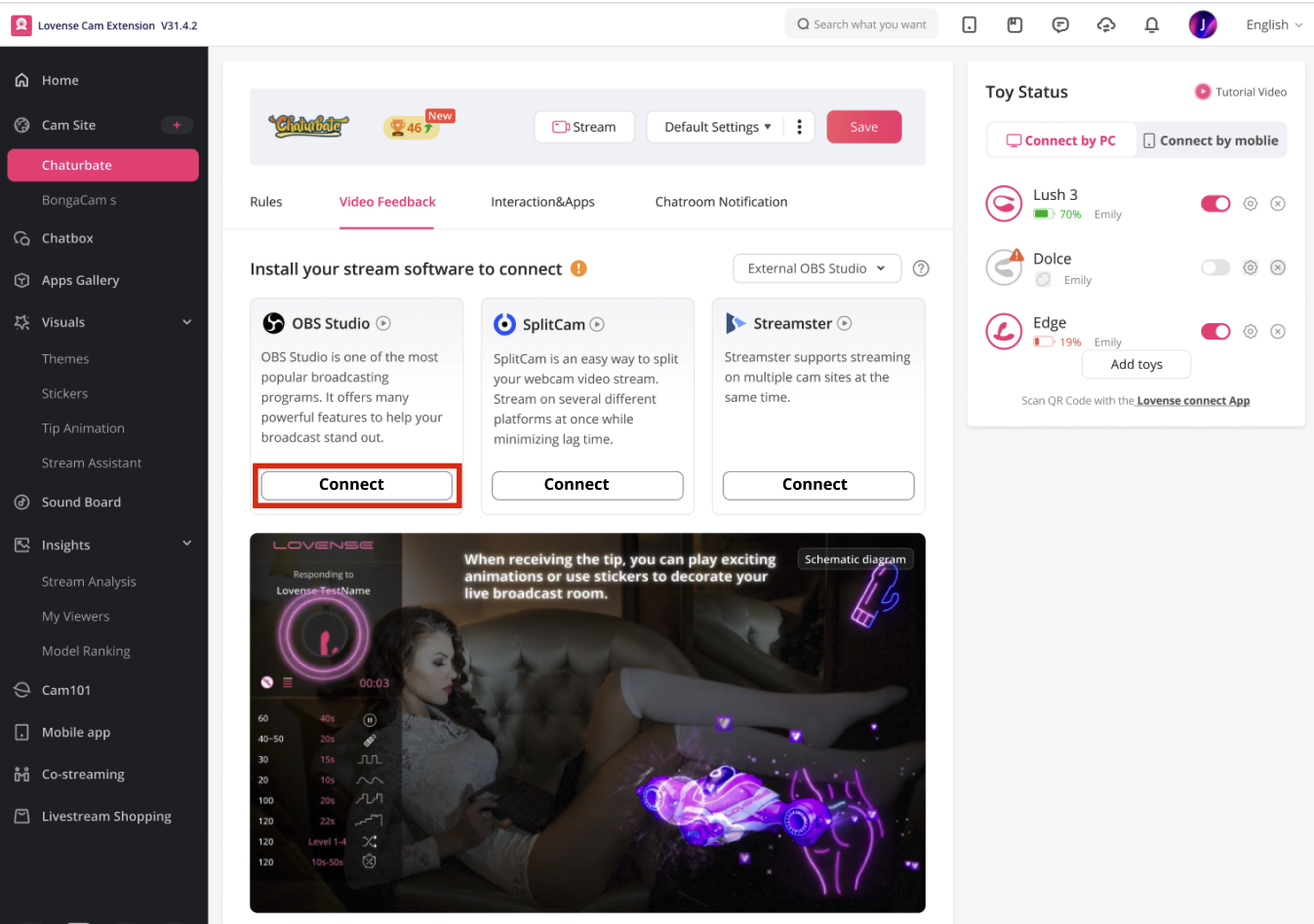
4. Go back to Cam Extension and connect to OBS
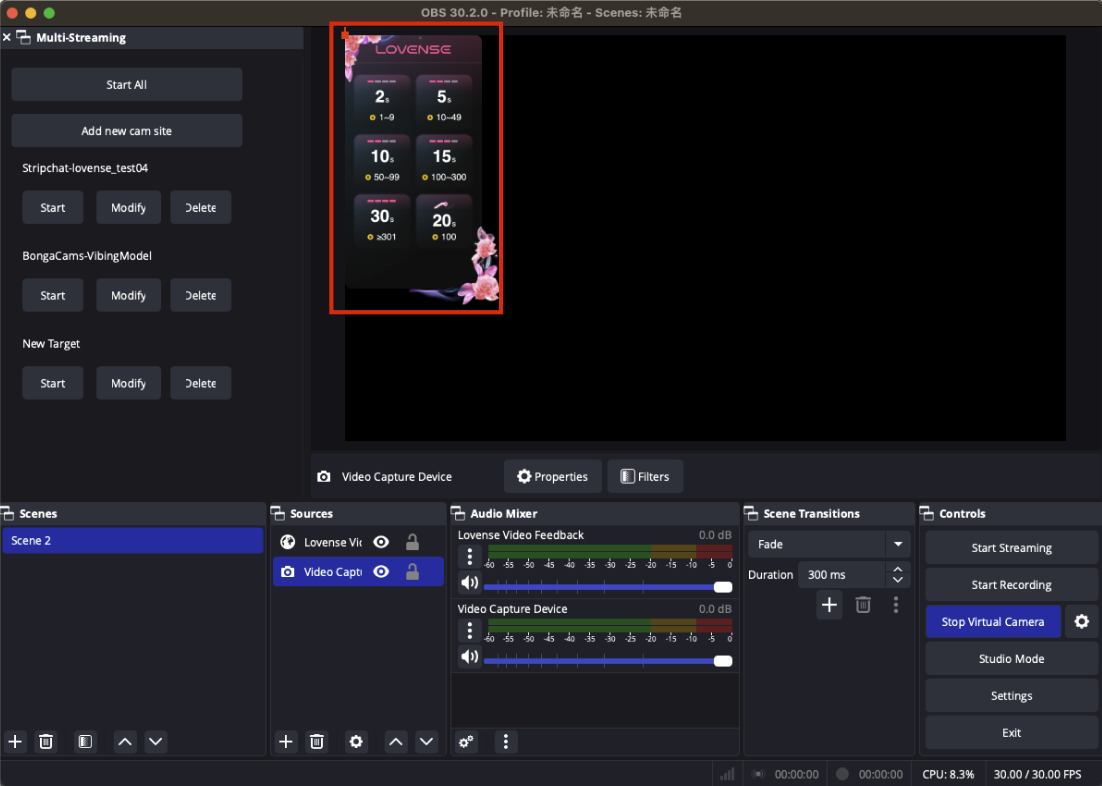
5.If OBS displays a panel, you're successfully connected
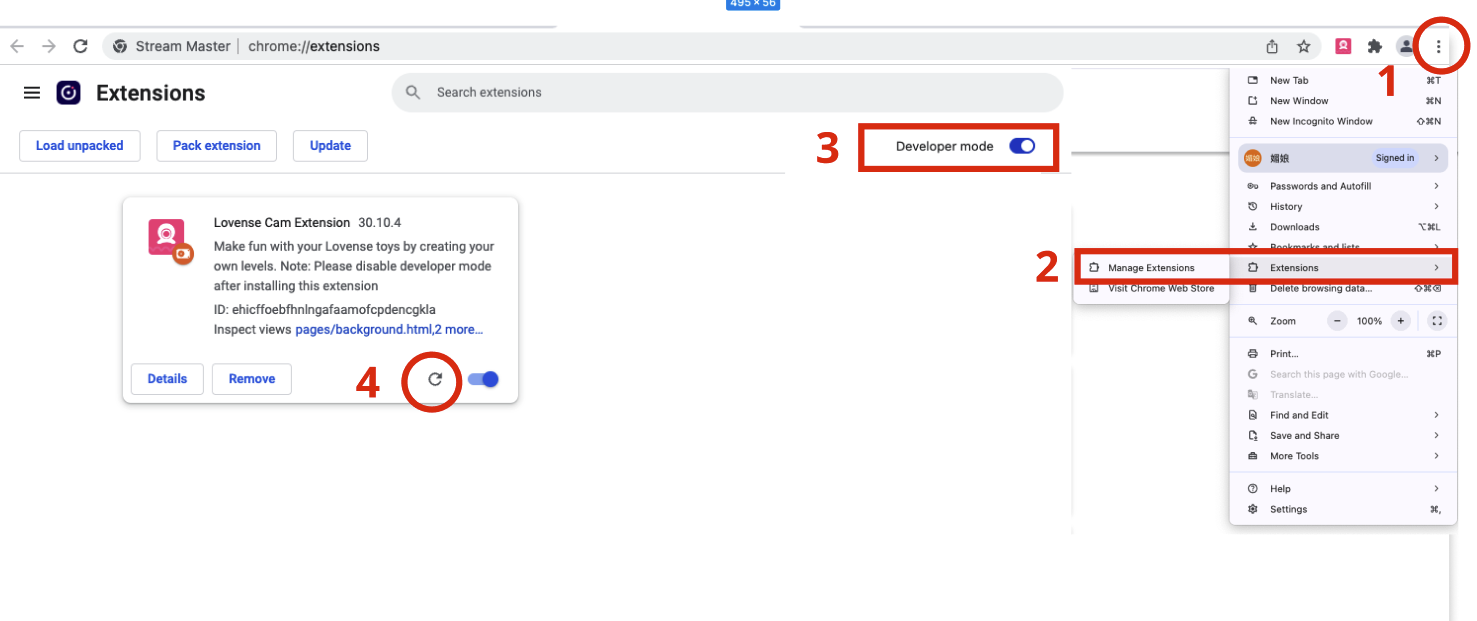
6.If you're still having problems connecting, try the following steps:
6.1: Refresh the backgroud and reconnect while keeping OBS open
6.2: If you have a VPN or anti-virus software turned on, please turn it off before reconnecting
6.3: Restart OBS Studio
Related Posts


Get more insights