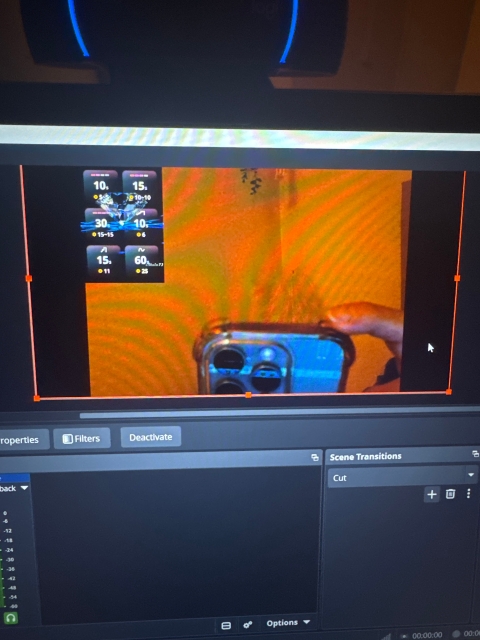
Hello, newbie here to the lovense toys :) after spending what felt like hoursss connecting the toy, downloading obs, streamaster and linking it to adultwork, my streaming image on adult work doesn’t fill the whole box 😩 it has 2 black thick lines either side. I’ve resized my layout in obs SO many times, rinsed chat gpt for all the advice but I’m still stuck. Has anyone else had this problem please? I tested my webcam on a test site and is all ok. Even when I stream on adultwork without using the extra programmes, it’s now still doing the black lines. It never used to 🥲 hope this makes some sort of sense. The image is also now kinda blurry when streaming through obs etc 🥲 but without using them the picture is crisp and clear. Thank you! Xx
The black bars on the sides are almost always a resolution mismatch between OBS and your webcam. Here is what to check:
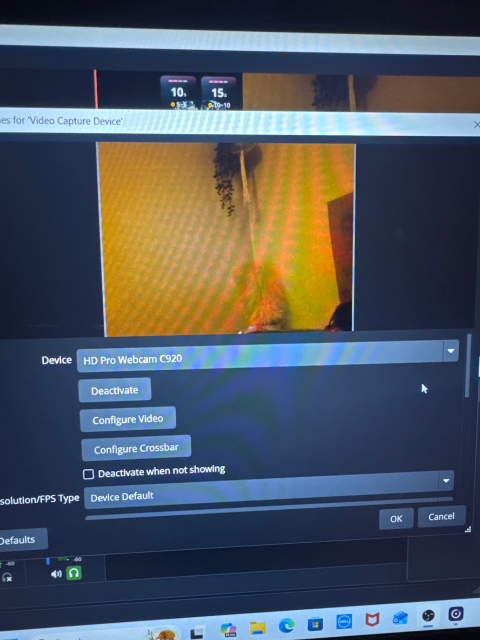
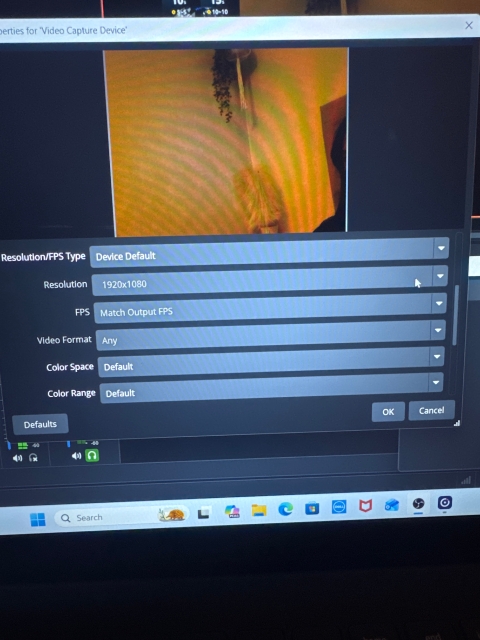
1. In OBS, go to Settings > Video. Set both your Base (Canvas) Resolution and Output Resolution to 1920x1080 (or whatever your webcam's native resolution is). 2. Right-click your Video Capture Device source in OBS, go to Properties, and make sure the resolution there matches too. Set it to "Device Default" or manually pick the right resolution. 3. If you still see bars, right-click the source in the OBS preview, go to Transform > Fit to Screen. That should stretch it to fill the canvas properly.
For the blurry image — that often happens when OBS is downscaling. Make sure your Output Resolution is not set lower than your Base Resolution, and in Settings > Output, try setting the encoder to a higher bitrate (3000-4500 kbps is a good range for 1080p streaming).
The reason it looks fine without OBS is that your webcam is sending its native feed directly. Once OBS gets involved, it reprocesses the signal, so those settings need to line up. If you are still stuck after trying this, feel free to post your OBS settings and we can help troubleshoot further.
Thank you for the reply and information! I have tried all that and still no luck :( I’ve managed to move the lovense tip bar to fit in my camera picture. But still have the black lines :( I use OBS a then stream via stream master , and the site I use is adult work. Is there a different streamer I should try instead?




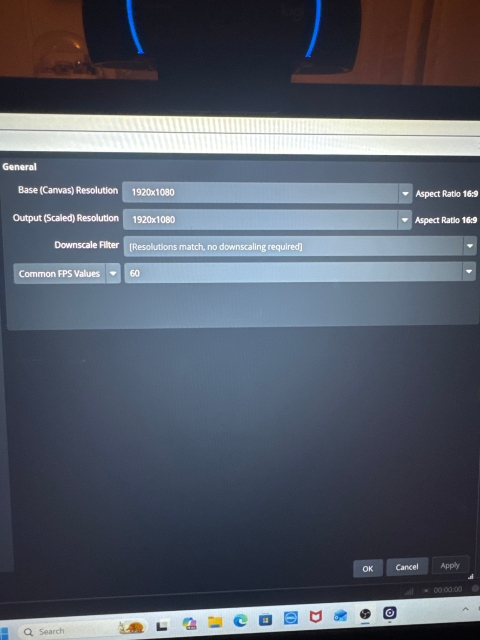



1. In OBS, go to Settings > Video. Set both your Base (Canvas) Resolution and Output Resolution to 1920x1080 (or whatever your webcam's native resolution is).
2. Right-click your Video Capture Device source in OBS, go to Properties, and make sure the resolution there matches too. Set it to "Device Default" or manually pick the right resolution.
3. If you still see bars, right-click the source in the OBS preview, go to Transform > Fit to Screen. That should stretch it to fill the canvas properly.
For the blurry image — that often happens when OBS is downscaling. Make sure your Output Resolution is not set lower than your Base Resolution, and in Settings > Output, try setting the encoder to a higher bitrate (3000-4500 kbps is a good range for 1080p streaming).
The reason it looks fine without OBS is that your webcam is sending its native feed directly. Once OBS gets involved, it reprocesses the signal, so those settings need to line up. If you are still stuck after trying this, feel free to post your OBS settings and we can help troubleshoot further.