#Tech help
#Connect toys
Diamo not connecting properly (error)
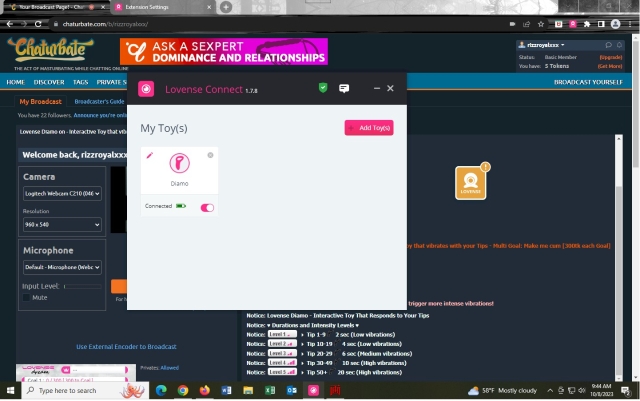
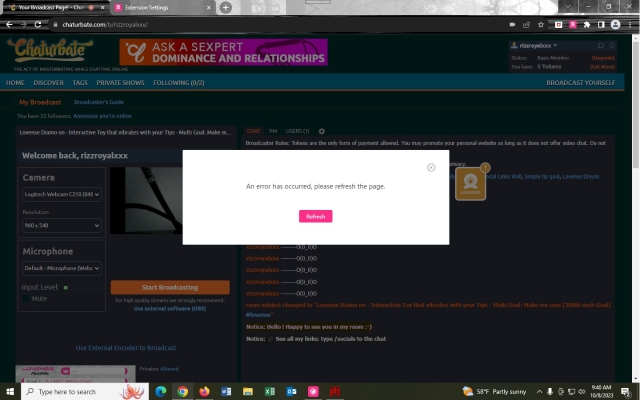
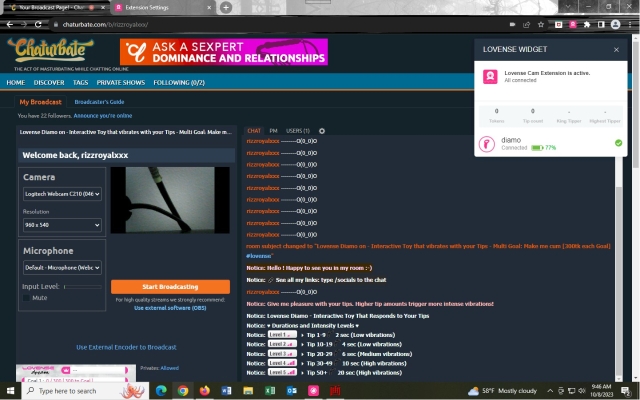
I'm having some sort of technical error issue. I log into my Chaturbate account, I go to my broadcast page. I turn on my device, I open Lovense connect and it connects. However at this point my cam widget icon either changes from yellow to green for a few seconds then back to yellow or it stays in yellow.
When I check the cam widget I'm seeing that I'm connected, but when I hover over the device "green check mark" I'm seeing that the Diamo device is not connected.
The only places I can send a test tip from is in my extension settings which continuously reloads every 30 seconds or so. I can also test my device directly from the Lovense Connect box on the desktop. When I try to send a test tip from the cam widget in the Chaturbate broadcast area, nothing sends. I see the tip icon drop like it's coming in, but it never sends to my device.
I did contact support directly, but I don't know when they'll reply. The information they sent me was the same step by step I already followed. I'm not new to using Lovese. I had some connection issues before, but not like this.
Any help is appreciated. Doesn't Lovense have a browser?
I turned off my anti virus and cleared my cache. I restarted Google chrome and tried to connect and maintain a connection to my device. My device is only connected via the Lovense connect and in the extension settings. When I send a test tip to myself from the webcam / toy status icon in Chaturbate it doesn't send. The icon goes from green to yellow. When I connect my device via Lovese connect my Lovense Diamo is right next to the USB dongle. It connects and vibrates. However, it still turns yellow on the icon and I can't sent test tips to myself which means viewers will not be able to send tips and set off my device. I know I'm following every step. I've been a performer before and I had some connection issues, but never like this. It's not even holding the connection. Could this be due to a faulty usb lovense dongle?
By the way, thank you for your responses to my help thread.
1
1
Report
Lorum
Moderatorreplied to RizzRoyalxxx:
2 years ago
Hmm....do you have other Bluetooth devices near your computer? Try disabling/powering off those as a test. Are you using an anti-virus or other software? That might also be interfering. If you are disable it for testing to see what happens. If you have the Lovense Connect app on your phone, make sure that is not running too.
Would tryreinstalling the app and extension, that often does the trick when these things happen. Also checking if you toy is updated in the normal app can help.