























Getting Started
Tutorial Videos
Courses
Lovense
Cam Sites
Community
1
Save
moments ago
"Vibemate will cover the cost" - 😁😁
Camming Safety Guide
This guide is for anyone who is a cam performer to help ensure their online security. This guide is not meant to be exhaustive but tries to be comprehensive. Though it’s geared toward US-based cammers, many of the topics discussed apply to any cammer. We hope for it to be a roadmap and starting point for everyone to use to ensure that they can find valid and effective information so that an informed decision about security issues can be determined based on each person’s level of risk acceptance. Essentially, what does each person feel safe revealing about themselves (and not just revealing themselves physically).
Reply
Save
1
Save
moments ago
Welcome to cam101 x
1
Save
10 hours ago
1
Save
10 hours ago
Welcome to cam101 x

You will find a lot of info available using the links at the top of the page, especially in the Getting Started, Tutorials and Courses section

This is a great introduction to Chaturbate:
- https://www.cam101.com/coursesView/detail/pdf/chaturbate-101/chapter

This is the "A Guide for New Models" link:
- https://www.cam101.com/newModel/Keep_streaming

The Discord model channel is being updated so please use the following options as appropriate:
- Whatsapp (Global): https://www.lovense.com/p/LovenseModelsWhatsapp
- Telegram (RU Only): https://www.lovense.com/p/LovenseModelsTelegram-RU
Reply
Save
2
Save
3 days ago
Apparently, the problem is not in Windows 7 (although it is already old, but it should work basic), but in a connection conflict.

Here's what happens most often (and this is confirmed by reviews in the app stores) :

1. Two competing apps. If the toy is connected to a phone (via Lovense Remote) and a PC (via Dongle) at the same time, they start to "quarrel". Use one thing for the stream. The best of all is the official Lovense Connect PC app (it works through Dongle). Make sure that the toy is turned off on your phone.
2. Virtual networks and VPNs. Windows 7 often "hangs up" unnecessary network protocols. Turn off all VPNs, check the network settings to see if there are any extra virtual adapters there — they jam the signal to the toy.

Short instructions:
- Close the app on your phone.
- Download Lovense Connect (not Remote) to your PC.
- In Device Manager, disable the laptop's built-in Bluetooth (if you use an external dongle).
- Restart the streamer software.

If the test type works, then there is a connection. So, the trouble is that the signal is intercepted by another application or background program.
Toni11
replied to Eva LOVENSE:
2 days ago
Thank you, however I have tried both ways independently as you suggested - and spent hours with Copilot trying to work it out. Best answer so far is that "Webview2 Runtime" is not installed and the Win 7 version of this is no longer available, hence breaking the final part of the chain. This is just on my desktop, not the more recent laptop which does work.
Reply
Save
1
Save
2 days ago
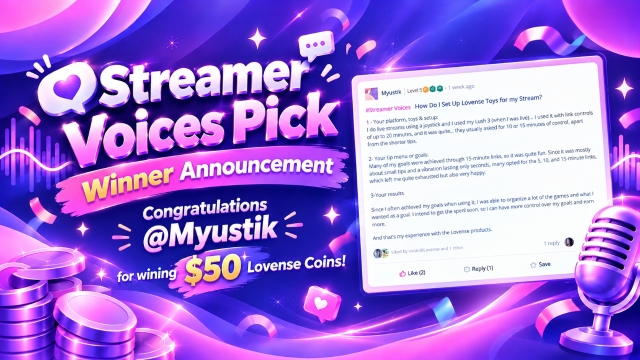
Congratulations 👏
3
Save
3 days ago
I totally get it, it really pisses you off. The problem is that developers of such applications (not only VibeMate, but also many others) are most often guided by statistics — if the platform has a small market share or a complex API, it is simply unprofitable to connect it. But you're absolutely right about Joystick. This platform is now really gaining momentum among both streamers and viewers. The more such requests there are from the community, the sooner developers will pay attention. Write to them in support, on social media, everywhere. Only massive demand will force them to add what they really need.
3 days ago
Sounds a good idea
Reply
Save
Reply
Save
1
Save
4 days ago
Welcome to cam101 x

You will find a lot of info available using the links at the top of the page, especially in the Getting Started, Tutorials and Courses section

This is a great introduction to Chaturbate:
- https://www.cam101.com/coursesView/detail/pdf/chaturbate-101/chapter

This is the "A Guide for New Models" link:
- https://www.cam101.com/newModel/Keep_streaming

The Discord model channel is being updated so please use the following options as appropriate:
- Whatsapp (Global): https://www.lovense.com/p/LovenseModelsWhatsapp
- Telegram (RU Only): https://www.lovense.com/p/LovenseModelsTelegram-RU